

How to choose a CRM comes down to two steps. First, check that you need one: a one-person sales team rarely does, a team of 2 to 3 reps already gains from it, and at 5 reps the pain is obvious. Then choose the system that fits how your team sells, who will use it, your data and integrations, the admin time you have, and 2 to 3 goals you set before you buy.
The advice comes from people who implement CRMs, in recorded conversations between Vladislav German, founder of Deeps Solutions, Benjamin Wallmann, partner at Deeps Solutions, and two guests: Robin Dijst, a HubSpot freelancer from the Netherlands and former Salesforce admin, and Richie Dharma, head of HubSpot at Red Pandas Digital in Australia. We are a HubSpot partner, so we also say where another CRM fits better.
Key takeaways
- A team of 2 to 3 reps already gains from a CRM, and at 5 reps or more the lack of one hurts every day.
- Headcount is only one signal. More leads than you can remember, unclear acquisition spend and doubts about your sales team are stronger ones.
- In Robin Dijst’s experience, most CRM failures come from process and adoption, not the tool, so let the people who will use it try it before you buy.
- How your team sells decides the fit. A calling-heavy team needs different tools than a team with long, multi-step deals.
- The licence is only the visible cost. Training, process change and a person to run the system belong in the budget too.
Why use a CRM at all?
A CRM gives every customer conversation one home and tells each rep what to do next. Without one, the work spreads across tools and memory.
Before Deeps, Ben worked at an e-commerce company that ran three systems. The shop system held orders and client details. A second tool handled support and sales email, and a third handled phone calls. When a client called, someone checked all three, often under more than one email address. If the person who knew the client was out that day, the only clue might be a note that said “client unhappy”, with no detail of what had happened.
Ben names one of the biggest problems in sales: “Where is my data and what do I do next?” A CRM answers both. Each fact the client gives goes into a defined field the moment they say it, so the next person does not have to read every email. Booking links let prospects pick a free slot in your calendar, which in Ben’s experience raises the show-up rate and cuts phone tag. Form submissions from your website and ads land in the same place.
For managers, the gain is data. Vlad describes a request that came up again and again with early clients: an owner with five reps sees that one sells five times more than another and has no idea why. “You only know what they tell you, but they tell you what they want to tell you.” With a CRM, the manager sees the conversion rate per rep, where deals drop out, and how many calls and messages each person makes.
Do I need a CRM yet?
Not every team does. Vlad weighs the time it takes to set up and run a CRM against what it gives back, and team size changes that balance.
Not every company needs a CRM. Every company can benefit from a CRM.
Vladislav German, founder of Deeps Solutions
- One seller. For most people, setup and upkeep cost more time than they save. Still, Ben notes that a basic plan with phone, email, website forms and a simple pipeline beats a Google Sheet where rows turn red after a week without contact.
- 2 to 3 reps. It starts to pay off. You can still talk across the desk, but nothing is saved for later, and you miss the history you will need when you grow. Vlad’s view is that you already need a CRM at this size, even if you don’t feel it yet.
- 5 reps or more. Here Vlad sees no question at all. The manager cannot see the pipeline, track KPIs or improve them. Ben agrees: at five salespeople you need something to organize them, and it does not have to be a big subscription.
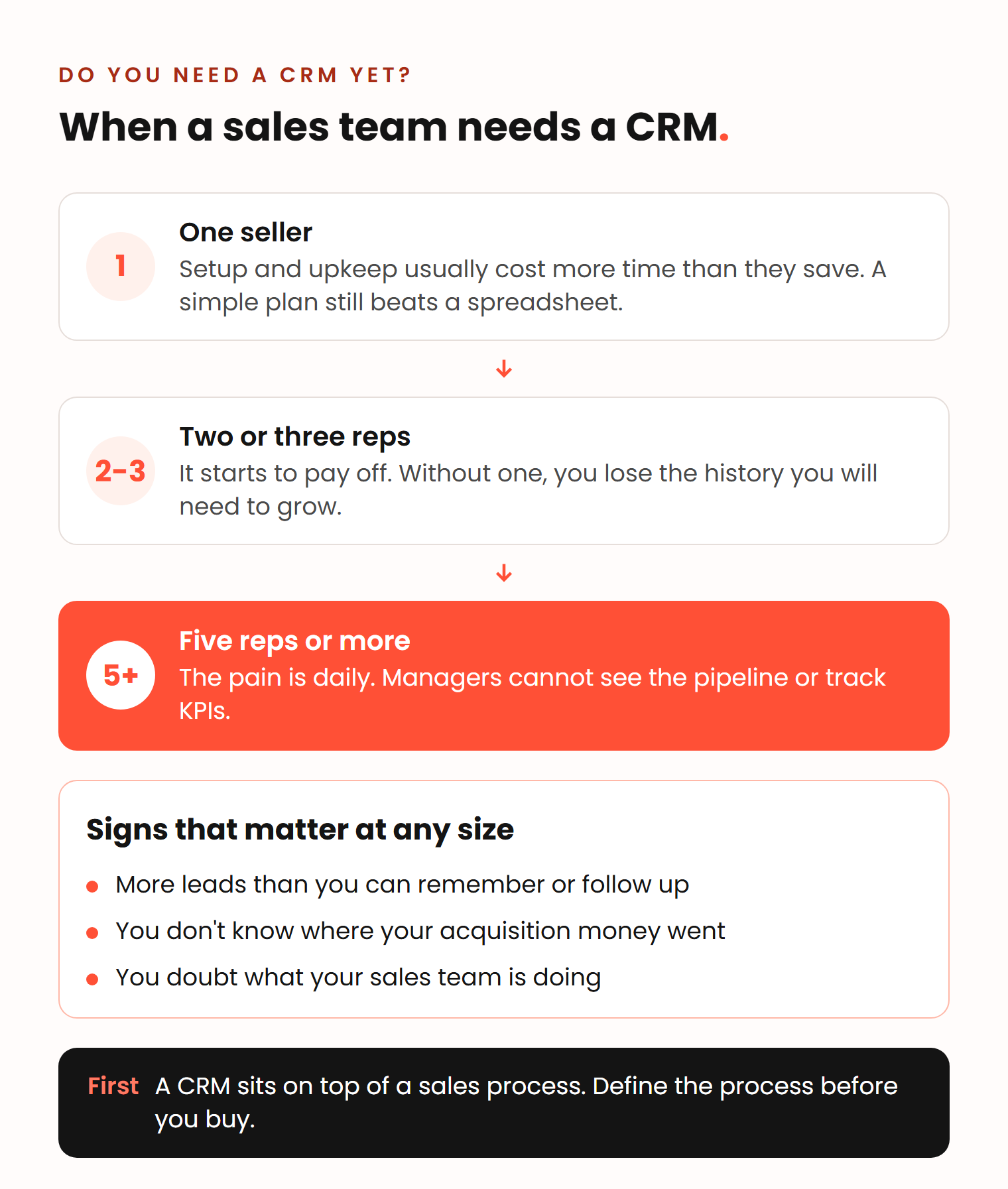
Richie disagrees with counting heads. In his words, “it’s not about the size”. He looks for signs instead:
Once you start to have way more leads than you can possibly remember or follow up with, once you ask yourself a question internally in the organization, where did I spend this money on customer acquisition? Once you get to that point, you 100% need some sort of CRM.
Richie Dharma, head of HubSpot at Red Pandas Digital
His third sign is when you start to doubt whether your sales team is doing the right things. The two views fit together. Headcount tells you when the pain is likely. Richie’s signs tell you it has arrived.
One condition comes before all of this: a CRM goes on top of a sales process. A startup still testing its go-to-market can use a CRM, Vlad says, but the setup never really ends, because the system has to change every time the process does. A team that knows the steps it takes to sell is much easier to map into a CRM.
How to choose a CRM: 8 questions to ask
Ask about your team before you ask about features. Robin starts from one idea:
Most CRM failures aren’t the tool itself. Every CRM is a good tool. It’s just the process and adoption that makes CRM fail.
Robin Dijst, HubSpot freelancer and former Salesforce admin
Use these 8 CRM selection criteria as your CRM requirements checklist before the first vendor demo.
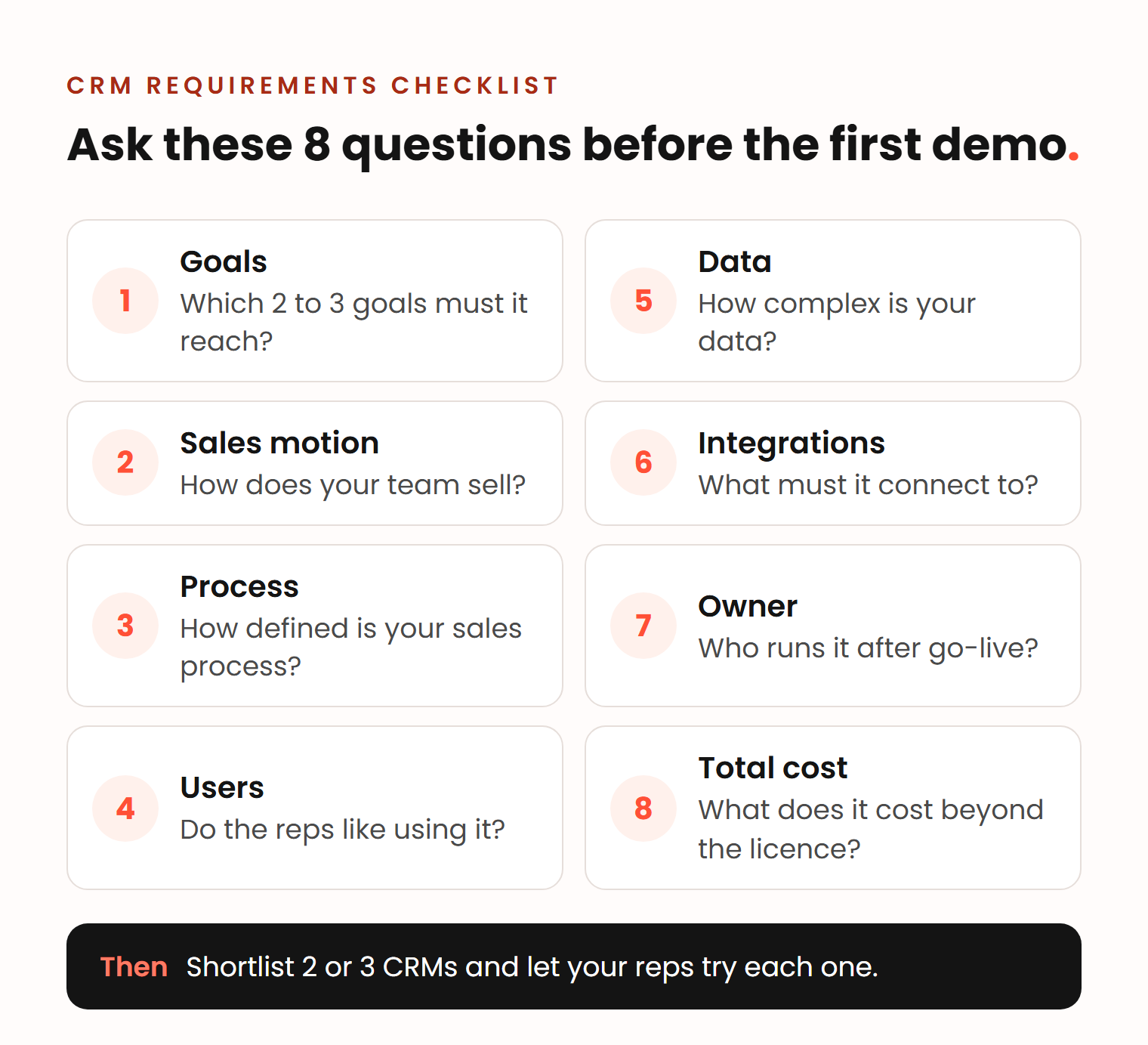
1. What 2 to 3 goals must the CRM reach?
Write the goals down before you compare tools. Vlad’s example for a first CRM: see your sales data, keep client data in one place instead of in reps’ heads, and learn which marketing works. If you reach those goals within a few months and can start to measure and grow, the choice was right, even if it cost the team a lot of time. Ben adds a warning: a big tool that does many things can create more work than a smaller tool that does the one thing you need.
2. How does your team sell?
The way you sell narrows the list fast. Vlad saw this on a project where a company wanted to move from Close to HubSpot. During the project, we learned that their sales approach was mainly calling. Close is built for that: as of November 2026, its Growth and Scale plans include a power dialer (Close pricing). A team with long deals and several people on the buyer side needs pipelines, stages and reporting first. Describe how you sell before you watch a demo.
3. How defined is your sales process?
Robin gives a simple if-then rule. If not every process in your company is defined yet and you don’t need multi-layer complexity, HubSpot will be enough most of the time: you get access, load your contacts and start. If your processes are defined and complex, with several approvals, countries and maybe languages, look at Salesforce. In his words, Salesforce is “like a database. You can load anything in, but there’s nothing there for you.” You build it to fit your business. We compare the two in more detail in HubSpot vs Salesforce.
4. Who will use it, and do they like it?
Put the CRM in front of the reps who will work in it every day before you sign. Robin learned this when he moved from Salesforce to HubSpot. In his Salesforce projects he watched users drift away. In HubSpot projects, users got excited about playbooks and sequences that made their calls easier. His warning about a tool people don’t like: “then I can have the Ferrari, but if I don’t know how to make use of it, then I’m still paying a lot.”
Ben’s test once the tool is in use is just as direct: “if people are frustrated with it, that’s a really good sign that it’s not bringing value.” Vlad adds one caveat. Some frustration is normal during any switch to a new system, which is why the goals from question 1 matter more than how the first month feels.
5. How complex is your data?
List what you need to track and how the pieces connect. Contacts, companies and deals cover most B2B sales. Contracts, locations, subscriptions or equipment may need their own objects. Permissions matter too. Robin’s example of where HubSpot struggles: teams in several countries on one platform, each with different rules about what they can see and edit at each stage. In his experience, that is where Salesforce does better. If you stay with HubSpot, our answer on which HubSpot plan you need explains when the Enterprise features for this are worth it.
6. What does it need to connect to?
Draw your current tools on one page: email, calendar, phone, website forms, billing and product data. Robin’s rule: if you already manage many systems in-house with an admin team, choose a CRM that can integrate everything. If you don’t, choose one that already has most of it built in. For teams that do a lot of outbound, Ben prefers a CRM with a strong sales focus and the rest built around it, so the team works from one source of truth.
7. Who will run it after go-live?
Name the person before you buy. A CRM can be cheap to start, Robin says, “but if you don’t have someone that can make use of it, then it’s still a very expensive line item.” Richie treats a missing internal owner as a red flag. Someone has to own the upkeep and act as the administrator, and a company needs a certain size to give a person that job.
8. What will it cost in total?
Count more than the licence. Ben lists the costs people forget: training every salesperson, changing processes, the hours this takes and the frustration along the way. Add implementation, data migration and integrations. The list prices below are only the starting point (as of November 2026, per user or seat per month):
| CRM | Entry plan | Mid plan | Upper plans |
|---|---|---|---|
| HubSpot Sales Hub | Starter: $20 | Professional: $90 to $100 depending on billing, plus a one-time $1,500 onboarding fee | Enterprise: from $150, plus a one-time $3,500 onboarding fee |
| Salesforce Sales Cloud | Starter Suite: $25 | Pro Suite: $100, billed annually | Core $195, Advanced $395, Max $550, billed annually |
Sources: HubSpot’s pricing page and product catalog, and Salesforce’s pricing page.
For a team of 10 reps on a $100 seat, the licence alone is $12,000 a year, before anyone is trained. Our article on CRM ROI shows how to weigh that against the return.
How we help teams choose
Every Deeps project starts with an analysis of how the team sells, because the process decides the tool. If HubSpot fits, Moving to HubSpot explains how we bring your data and process over. We have moved teams from spreadsheets, Pipedrive and Close. If your needs point to another CRM, we say so.
If the process lives only in people’s heads, Sales Process Consultancy defines it first, from €1,500 over 2 to 4 weeks. You get a quote after an intro call.
Frequently asked questions
How much does an average CRM cost?
As of November 2026, list prices for sales CRMs run from about $20 to $25 per user per month for entry plans to $100 to $550 for plans built for structured sales teams, based on HubSpot’s and Salesforce’s pricing pages. Implementation, training and admin time come on top. For a team of 10 reps, budget for the licence and a one-time setup project.
What are the top 3 CRM platforms?
By revenue, IDC ranked Salesforce first in 2025 with 20.0% of the CRM market (Salesforce). Coverage of the same IDC data puts Oracle second and Microsoft third, at about 4% each (CX Foundation). Market share says little about the fit for your team, so build your shortlist with the 8 questions above.
Can ChatGPT make a CRM?
ChatGPT can draft a spreadsheet layout or the code for a simple contact database, but you would still have to host, secure and maintain it. It works better on top of a real CRM. As of November 2026, HubSpot’s connector for ChatGPT can read CRM records and create or update contacts, companies, deals and tasks from a chat (HubSpot Knowledge Base). The AI still needs clean, structured data, as we explain in our article on the headless CRM.
What does a good CRM selection process look like?
Set 2 to 3 goals first. Then describe how your team sells, list your data and the tools the CRM must connect to, and name the person who will run it. Shortlist 2 or 3 systems, let the reps who will use them try each one, and compare the total cost, not only the licence.